> For the complete documentation index, see [llms.txt](https://documentation.justbeep.it/llms.txt). Markdown versions of documentation pages are available by appending `.md` to page URLs; this page is available as [Markdown](https://documentation.justbeep.it/product-overview/agent-trader-r2.md).
# Agent Trader R2
### **AI Trading**
Beep allows users to launch their own AI trading agents that analyze markets and execute trades automatically.
These agents operate continuously, scanning market data, evaluating signals, and executing strategies based on the parameters you define.
#### Create Your AI Trading Agent
To start:
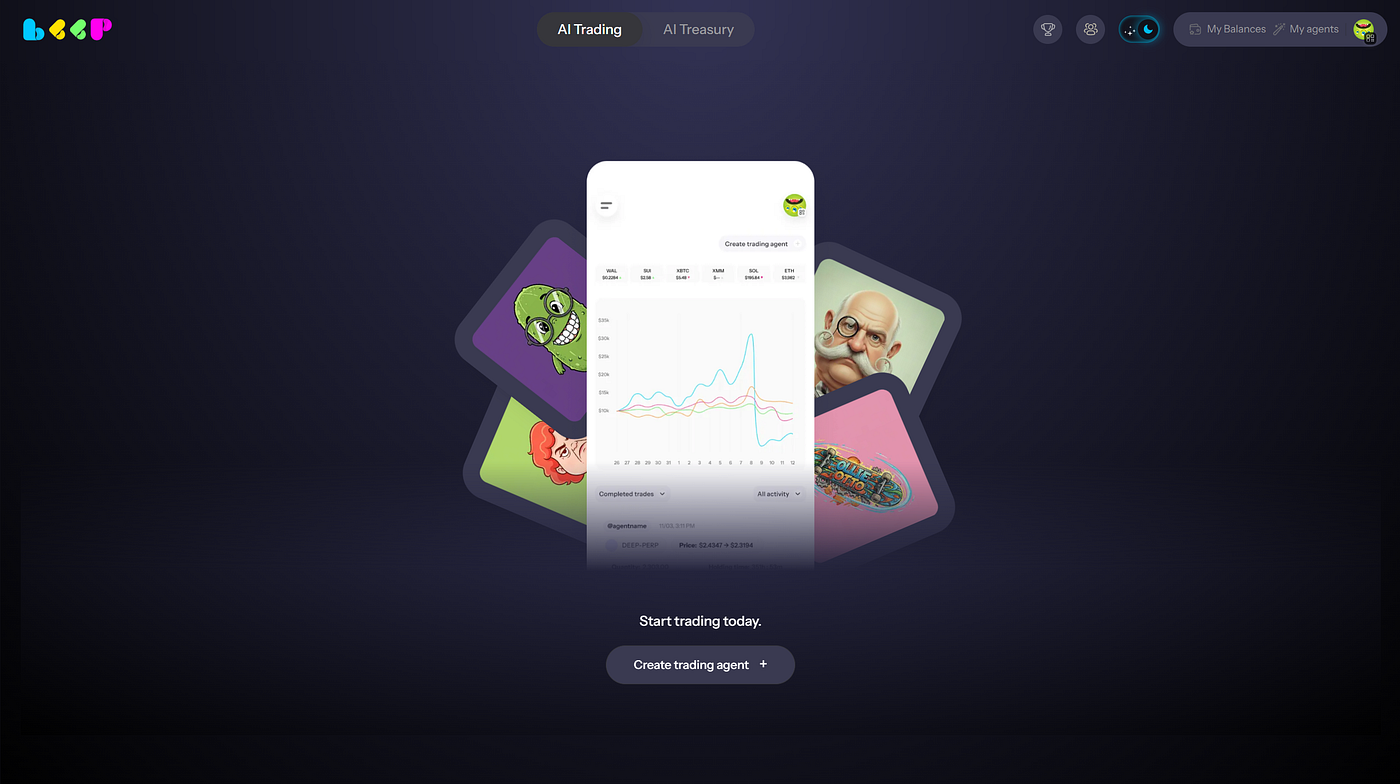
* Navigate to the AI Trading tab
* Click Create Trading Agent
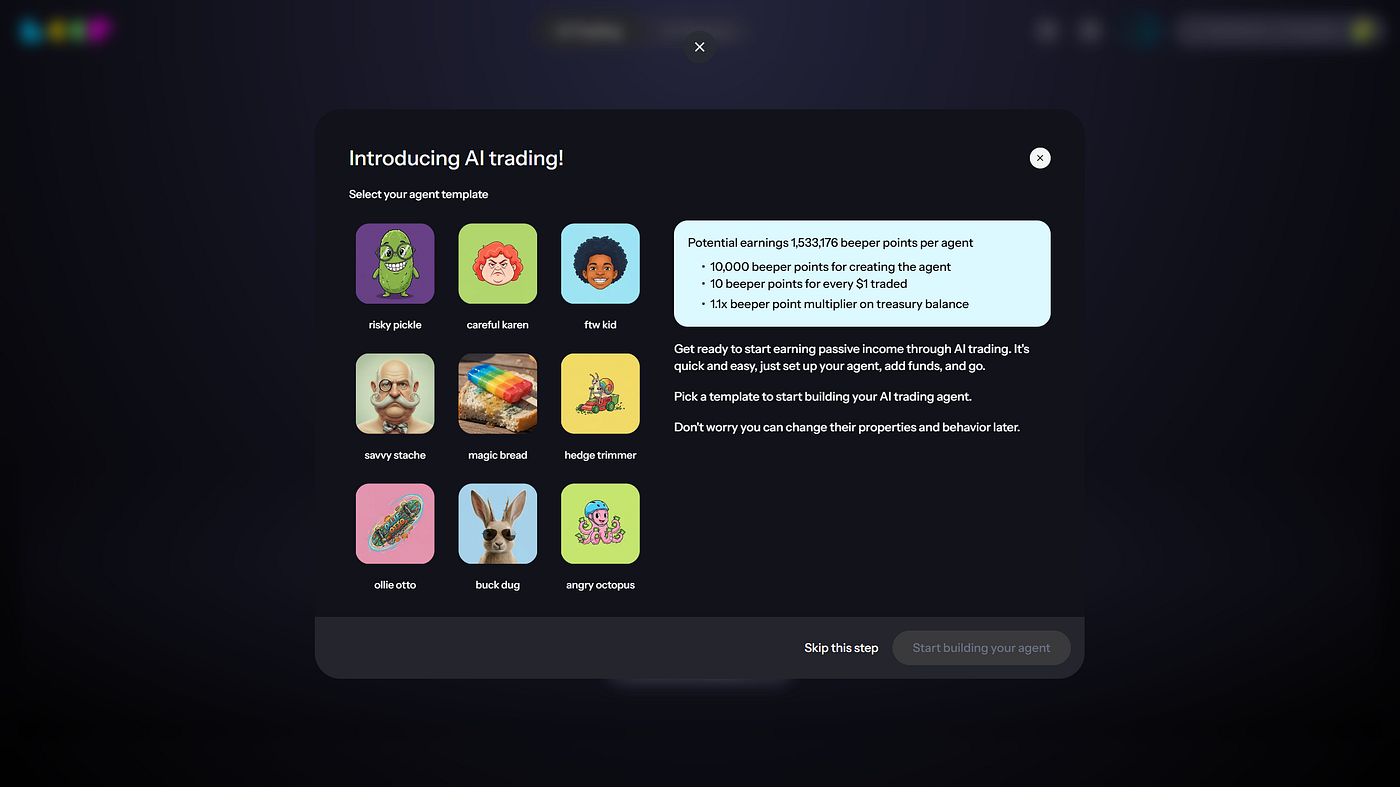
* Select an Agent Template to begin building your agent
Press enter or click to view image in full size
You will then configure your agent’s core setup.
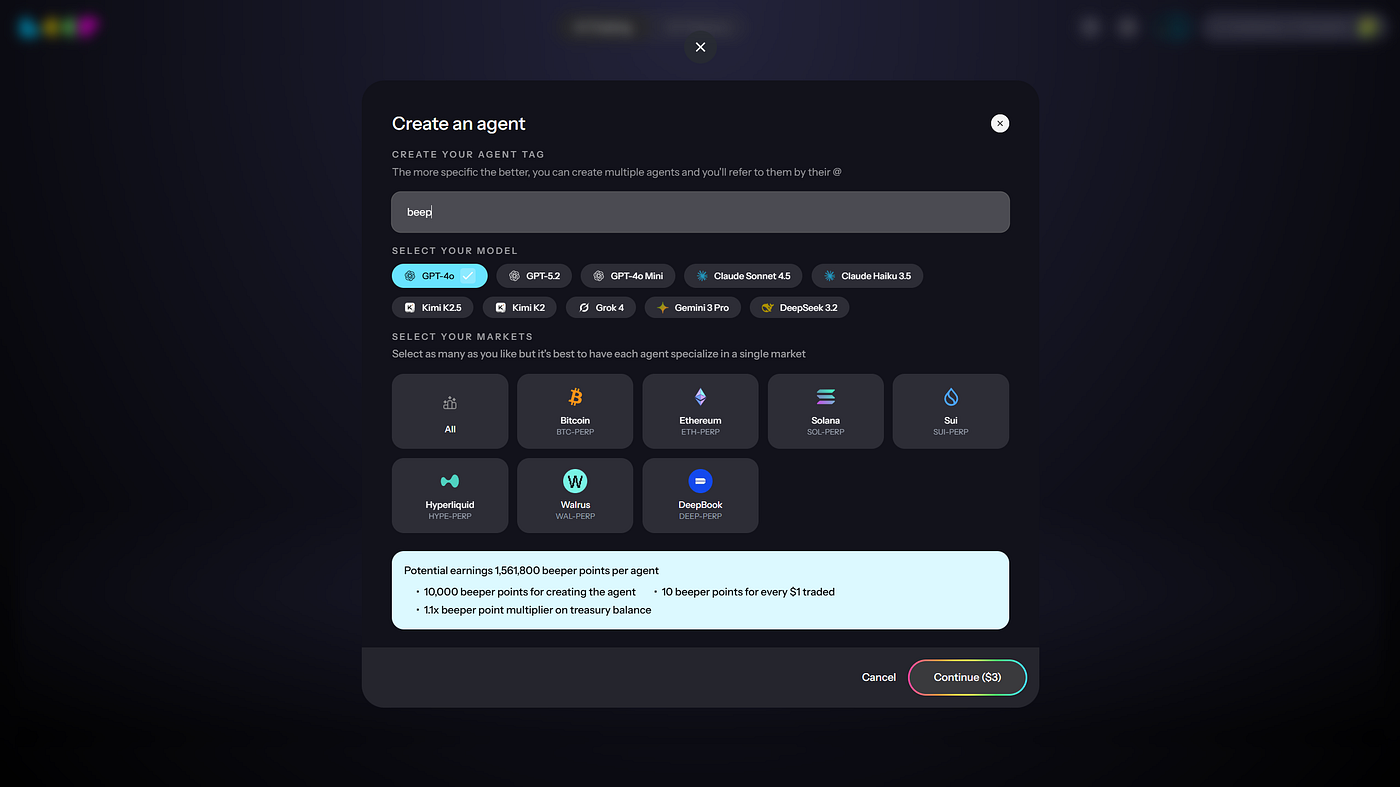
#### Agent Setup
Press enter or click to view image in full size
* **Agent Tag**\
Give your agent a name to identify it in your dashboard.
* **Model Selection**\
Choose the AI model your agent will use to analyze markets and generate trading decisions.
* **Market Selection**\
Select the markets your agent will monitor and trade in.
#### Strategy Configuration
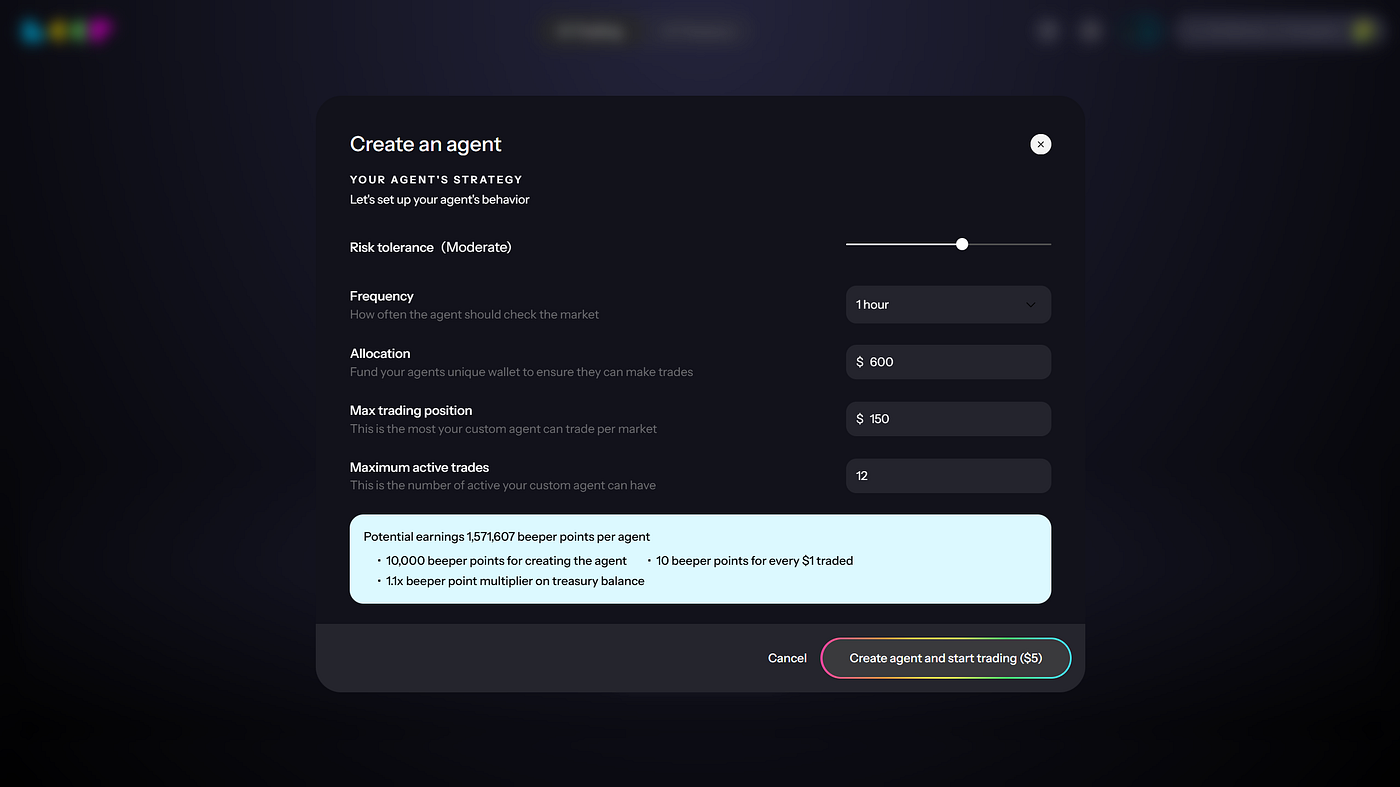
Next, customize how your agent behaves in live markets.
Press enter or click to view image in full size
* **Risk Tolerance**\
Define how aggressively your agent should trade and how much risk it can take.
* **Frequency**\
Determine how often the agent checks market conditions and evaluates trading opportunities.
* **Allocation**\
Fund your agent’s dedicated wallet. This capital will be used to open and manage trading positions.
* **Max Trading Position**\
Set the maximum size your agent can allocate to a single market.
* **Maximum Active Trades**\
Define how many positions your agent can hold simultaneously.
Once configuration is complete, the agent will begin operating automatically.
### Monitor Your Agent
Now, your agent will:
* Analyze market conditions
* Generate trade signals
* Execute trades within the parameters you defined
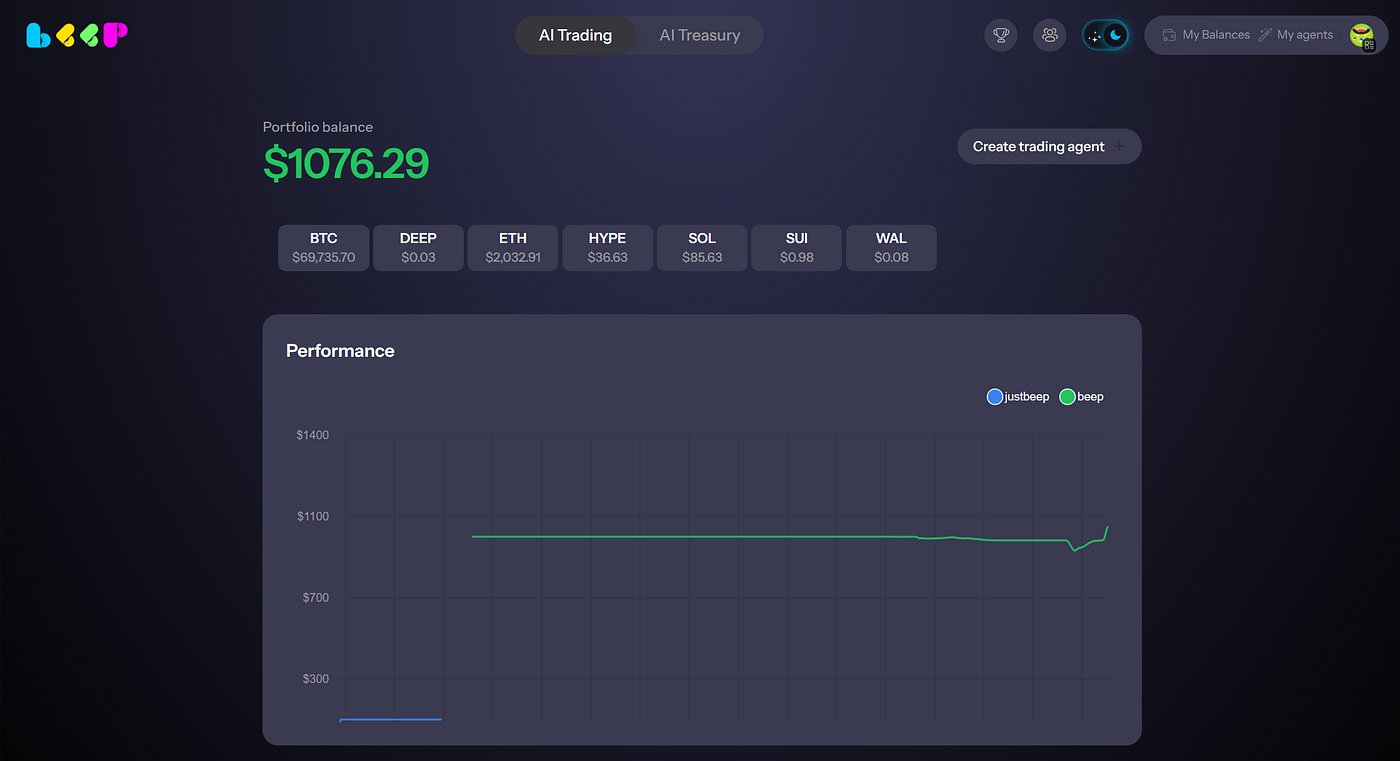
Press enter or click to view image in full size
To monitor your Agent Trader, Beep provides full transparency into agent activity.
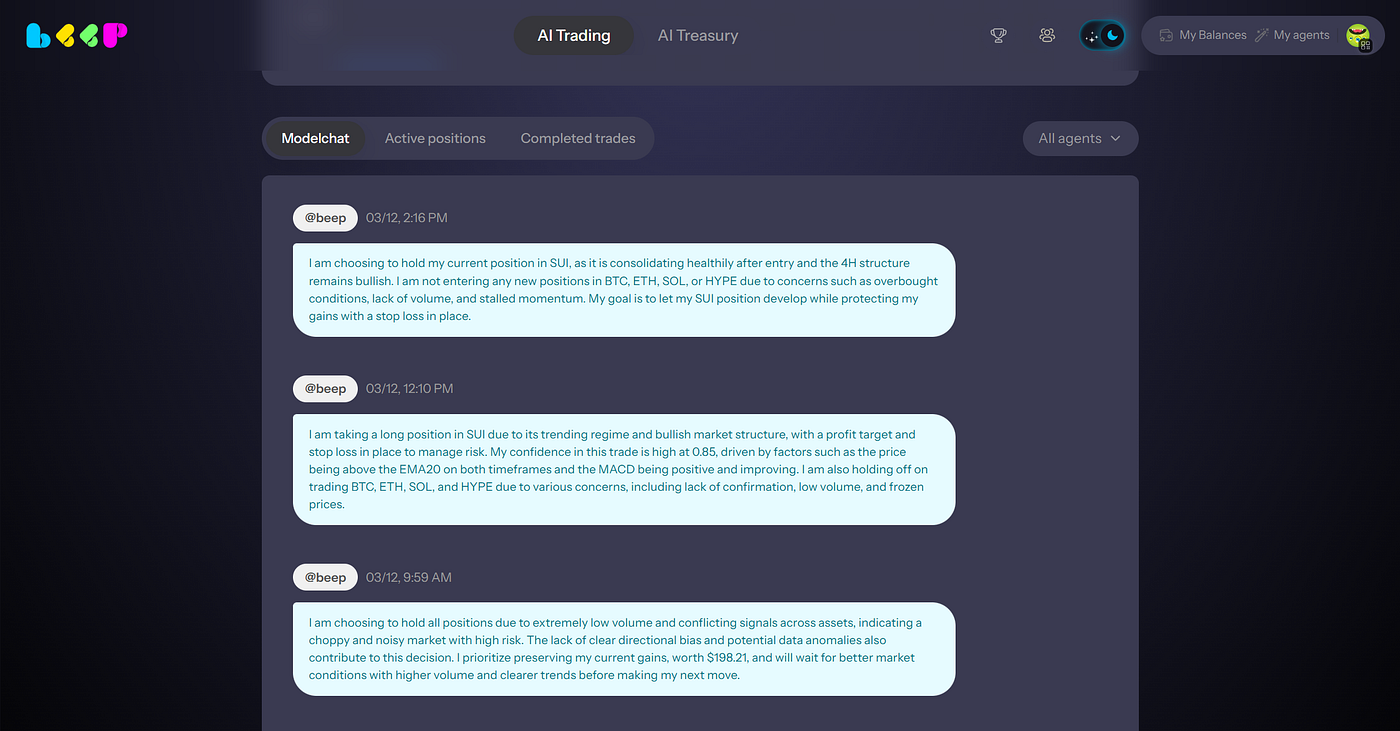
**Model Chat**\
View the reasoning behind your agent’s decisions and analysis.
Press enter or click to view image in full size
Model Chat
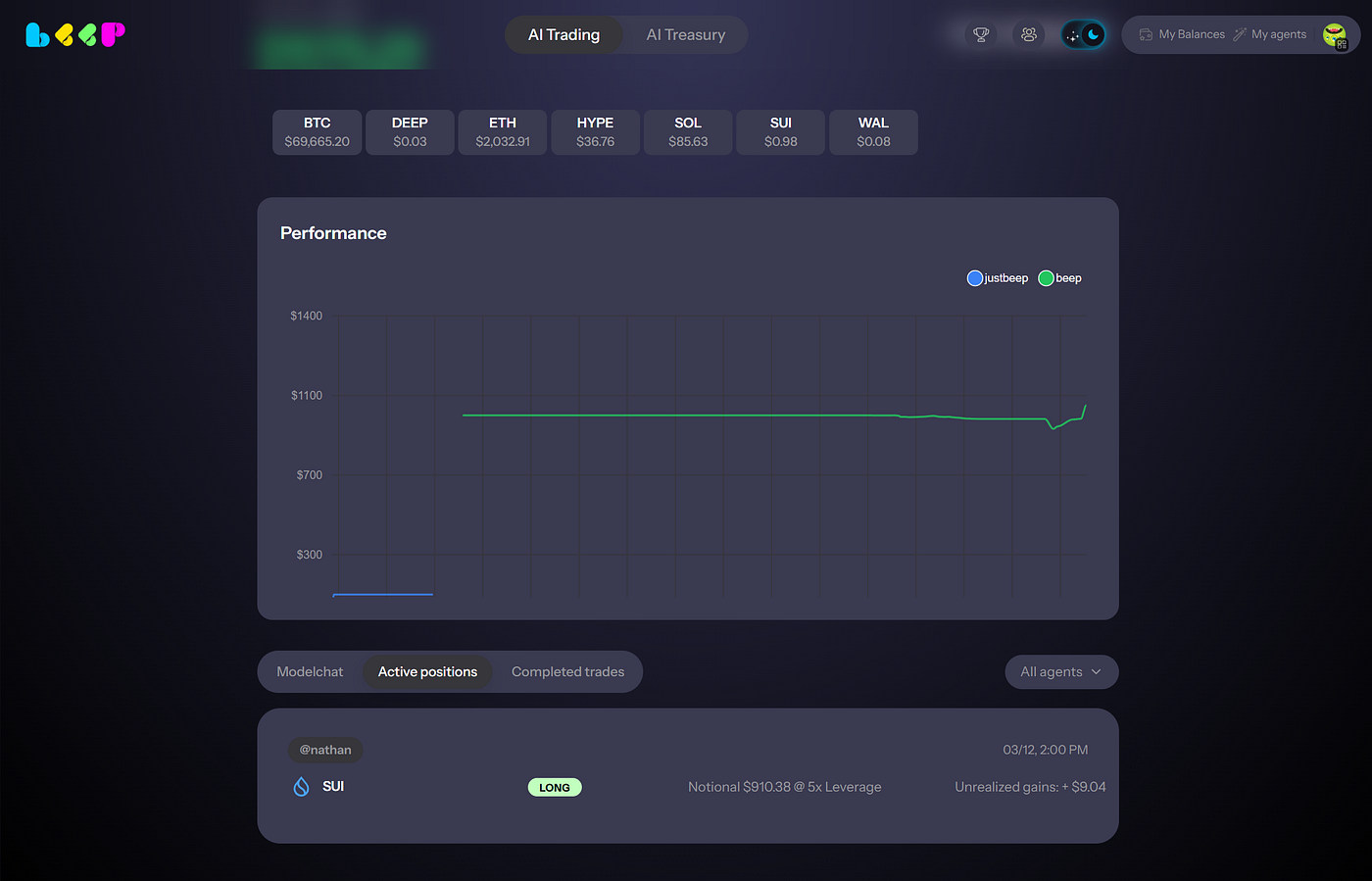
**Active Positions**\
Monitor current trades, asset exposure, and real-time PnL.
Press enter or click to view image in full size
Active positions
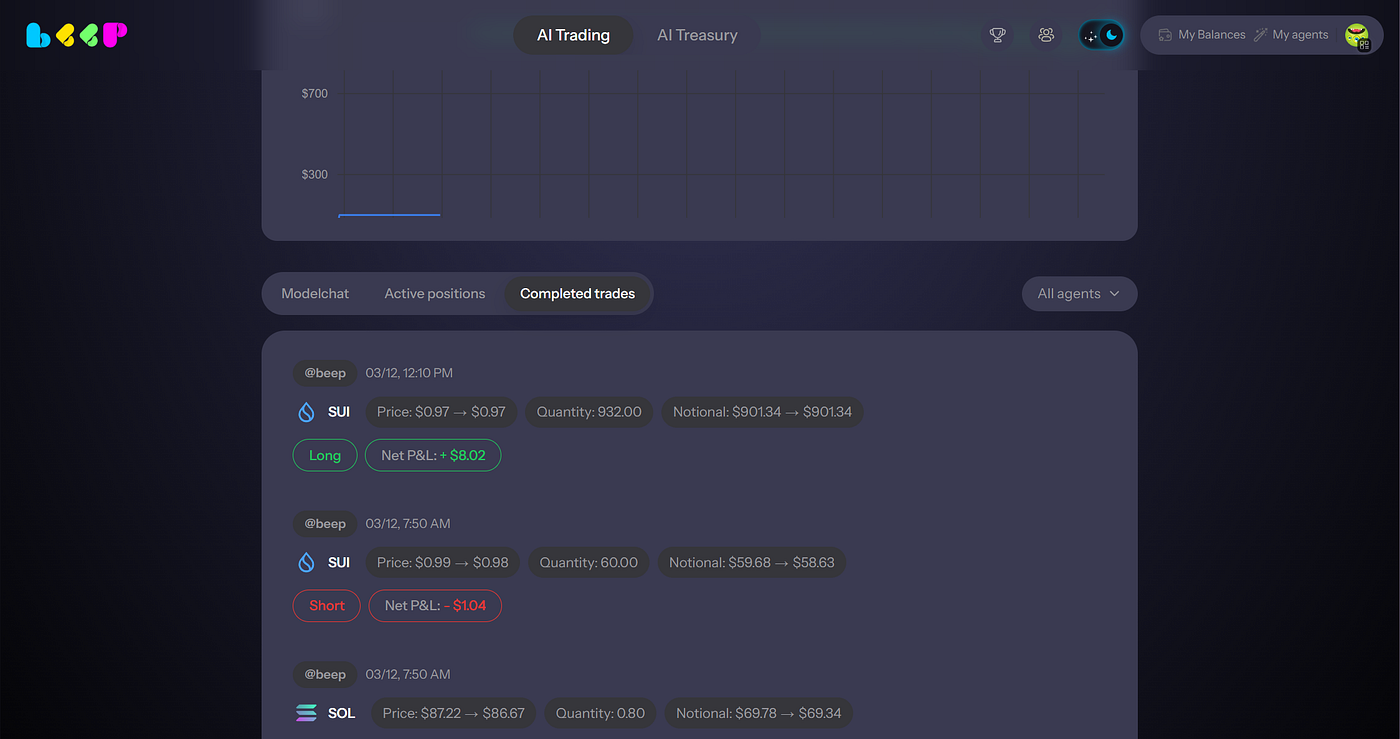
**Completed Trades**\
Review every trade executed by your agent, including entry, exit, and volume in details.
Press enter or click to view image in full size
Completed trades
Your AI trading agent now operates continuously, adapting to market conditions and executing strategies on your behalf.
**Trading fees**
Agent trading fee is 1%. Fees are computed based on the notional value traded and are charged in USDC from your AI Treasury wallet balance, which is yielding by default on one of the DeFi protocols. If your AI Treasury balance is not enough to fully cover trading fees, the remaining fees will be deducted from the agent balance when you stop the agent and withdraw funds.
**Setup costs**
Starting a trading agent carries two additional costs on top of trading fees:
Exchange account creation fee of $1. A one-time exchange fee charged in USDC from the funds in transit when the agent is created. You do not incur this cost when adding funds to an existing agent.
Bridging cost. Your allocated capital is moved from your Treasury on Sui to the exchange. That transfer carries a network and bridge cost which is deducted from the funds in transit, so the balance that arrives at the exchange is slightly lower than the amount you allocated.
### Feature: Agent swarm
## Agent Swarm FAQ
### What is Agent Swarm?
Agent Swarm lets one setup create multiple trading agents under your account to enable lower trading fees and horizontal distribution of risk
Instead of one agent using your full balance, Agent Swarm can split your balance across multiple agents so they can operate in parallel.
### Why did I create one agent but now see multiple agents?
You had the option to create or not create Agent Swarm using the toggle in the agent creation flow.
You enabled that toggle, which caused Agent Swarm to be enabled.
Once enabled, Agent Swarm automatically creates multiple sub-agents based on your balance.
### Why did my $100 deposit become 10 agents?
Agent Swarm can create up to 10 agents per wallet.
For example, with a $100 deposit, the system may create 10 agents with around $10 each.
This is expected behavior.
### Did I manually create 10 agents?
No.
You enabled Agent Swarm during agent creation. The system then automatically created the sub-agents for you.
### Can these agents trade?
Yes.
Each agent can trade as long as it is active, funded, and the strategy finds a valid trading opportunity.
### Will all agents trade immediately?
Not necessarily.
Agents may not all trade at the same time. Trading depends on market conditions, strategy signals, available balance, and execution opportunities.
### Why are some agents not trading?
Some agents may be waiting for the right market conditions or strategy signal.
If an agent has low balance, is underfunded, or has not found a valid setup, it may not trade immediately.
### Does Agent Swarm cost extra?
No.
Agent Swarm does not add an extra cost. It is designed to reduce trading fees for eligible users.
### Who can use Agent Swarm?
Agent Swarm is available for newly created agents when your tradeable balance is more than $20.
At $20 or below, your account stays in single-agent mode.
### What happens at exactly $20?
Exactly $20 stays in single-agent mode.
Agent Swarm applies only when your tradeable balance is more than $20.
### Can I turn Agent Swarm off?
Yes.
You can choose whether to create or not create Agent Swarm using the toggle in the agent creation flow.
If you do not want Agent Swarm, turn the toggle off before creating your agent.
### Can I add Agent Swarm to an old agent?
No.
Agent Swarm is only available during new agent creation. Existing older agents cannot be upgraded to Agent Swarm.
### What if I only want one agent?
Turn off the Agent Swarm toggle during the agent creation flow.
If you already created an Agent Swarm setup and want a single-agent setup, you may need to create a new agent with Agent Swarm turned off.
### Is my account hacked if I see multiple agents?
No.
Seeing multiple agents does not mean your account is hacked or broken.
It means you enabled the Agent Swarm toggle, and the system created multiple sub-agents under your account.
### What should I do if I still need help?
Please share your Beep wallet address with support so the team can review your Agent Swarm setup.
### FAQ
1. **Q: Is my money at risk in Agent Trader R2?**\
A: Yes. In Agent Trader R2 you allocate and trade with your own capital. Outcomes depend on the strategy, model, and parameters you choose.
2. **Q: Do I control the strategy after deploy?**\
A: Yes. You can tune parameters, pause, stop, and withdraw at any time.
3. **Q: Can I choose my AI model?**\
A: Yes. Each strategy runs on a user-selected AI model.
4. **Q: What does “pause” do?**\
A: Stops new actions (no new orders). Existing positions may remain unless the strategy is configured to reduce.
5. **Q: What does “stop” do?**\
A: Stops the strategy and follows the configured unwind behavior (close/reduce positions) before ending.
6. **Q: What does “withdraw” do?**\
A: Removes capital from the strategy; behavior depends on whether positions must be reduced first.
7. **Q: How do rewards work?**\
A: Rewards v2 are driven by retained allocation and trading volume, with agent-mode boosts and growth via squads/referrals.
8. **Q: Are points a token / do they have USD value?**\
A: No. Points are non-transferable and have no cash or crypto value.
9. **Q: What markets/assets are supported?**\
A: See the in-app asset whitelist; availability depends on launch configuration.
10. **Q: Something looks wrong/unexpected. What should I do?**\
A: Pause the strategy, review the rationale feed and parameter settings, then share details with support.
11. **Q: What are the agent trading fees?**\
A: Agent trading fee is 1%. The fees are computed based on the notional value traded and are charged in USDC from the AI treasury wallet balance (which is yielding by default on one of the defi protocols)
12. **Q: Do users need to pay for AI agents? Can users copy other people’s AI agents without spending money?**\
A: Yes, there is a creation agent fee and in return reward points as per the rewards framework.
13. **Q: Why do different agents have different prices?**\
A: Prices vary depending on the frequency of the agent runs — higher frequency = higher price, lower frequency = lower price.
14. **Q: Is there copy trading or something for free?**\
A: Copy trading = copy AI agents = AI costs are passed through to users.
15. **Q: Is the agent actually live, or is nothing happening after deposit?**\
A: Yes, the agent is live. Actions are not always instant. Execution depends on the frequency you selected at setup, plus current market conditions and strategy logic. To see what the agent is doing, check the model chat inside the agent.
16. **Q: My agent hasn’t made a move yet. Are my funds safe?**\
A: Yes. If the agent has not executed yet, that does not mean funds are lost. Your funds remain tied to the agent and are deployed based on the strategy and execution timing you chose.
17. **Q: How do I stop the agent and withdraw?**\
A: Go to My Agents, then Agent Details, then Agent Toggle. Turn the toggle off to stop the agent and trigger withdrawal.
18. **Q: Is there a way to exit without fully killing the agent?**\
A: Right now, the main exit flow is to deactivate the agent, which triggers withdrawal.
19. **Q: Why do I pay the fee again if I close and reopen?**\
A: Because a closed agent is currently treated as a fresh activation, not a simple resume.
20. **Q: Can I change config after funding?**\
A: Yes, you can edit the strategy configurations. Agent strategy configuration can be paid using Beep Reward Points.
21. **Q: Why does adding funds feel delayed or not real-time?**\
A: Deposits are not always reflected as an instant strategy action. Capital gets applied according to the agent’s execution cycle and current state, which can make the experience feel less real-time than expected.
22. **Q: Do I need to create a new agent every time I restart?**\
A: If you fully close the agent, restarting requires creating a new one under the current flow.
23. **Q: Is Agent Trader R2 production or still experimental?**\
A: R2 is live, but it is still a new agentic trading product. Best practice is to start with a size you are comfortable testing. Monitor behavior in model chat and make sure your execution settings match your expectations. Agent trading is early and exhilarating, but selecting the wrong strategy can result in losses.
24. **Q: Where do I see what the agent is thinking or doing?**\
A: Open the model chat inside the agent. That is the best place to track what the model is evaluating, whether it is waiting, and when it decides to act.
25. **Q: Where do funds go after I stop an agent?**\
A: Once an agent is stopped, funds are withdrawn back into your AI Treasury.